
- Go to the Market
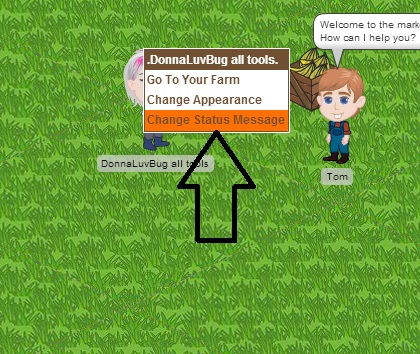
- left click your mouse on your avatar
- Choose Change Status Message
- Then choose what you want to be able to do
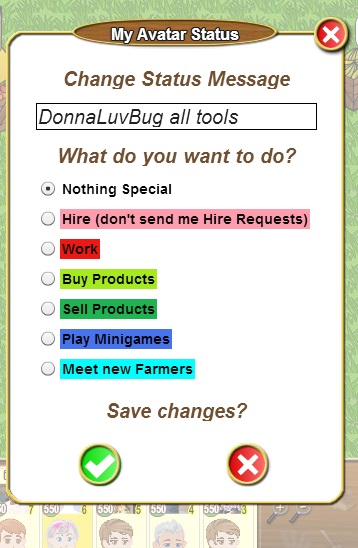
- Once you made your selection, then click the green check and you will see your avatar name box change to the color you selected in the prior box.
Hire (pink)=nobody can hire you to work but you can hire others
Work(red)=you are available to be hired to work
Buy Products(light green)=you only want to buy products
Sell Products(dark green)=others can only sell you products
Play minigames(dark blue)=you only want to play minigames
Meet new farmers(agua)=you only want to meet new farmers